Search Bar

Wednesday, 10 April 2013

How to Reset Your Forgotten Windows Password the Easy Way


Forgetting your password is never any fun, but luckily there’s a really easy way to reset the password. All you need is a copy of the Windows installation disk and one simple command line trick.


Resetting Your Forgotten Windows Password
Boot off the Windows disk and select the “Repair your computer” option from the lower left-hand corner.


Follow through until you get to the option to open the Command Prompt, which you’ll want to select.


First you will be sure in which drive your windows will be installed.

You’ll want to type in the following command to backup the original sticky keys file:

copy c:\windows\system32\sethc.exe c:\ 
(Note:-If your windows on D: replace D with C.

Then you’ll copy the command prompt executable (cmd.exe) over top of the sticky keys executable:

copy c:\windows\system32\cmd.exe c:\windows\system32\sethc.exe


Now you can reboot the PC.

Resetting the Password

Once you get to the login screen, hit the Shift key 5 times, and you’ll see an administrator mode command prompt.


Now to reset the password—just type the following command, replacing the username and password with the combination you want:


net user geek MyNewPassword


That’s all there is to it. Now you can login.

 photo signature_2_zps7835ec15.gif

Windows Password Unlocker Enterprise v5.3 Download

Windows Password Unlocker is safe and easy Windows password recovery software to recover lost or forgotten Windows domain password and local password (including administrator password and other user account password) by burning a bootable CD/DVD or USB flash drive. And there are 3 editions for your choice: Windows Password Unlocker Standard, Windows Password Unlocker Professional and Windows Password Unlocker Enterprise.

Reset Windows Local Password
  • Remove Windows local administrator and other user passwords.
  • Change Windows local administrator and other user passwords.
  • Create a new local admin account to unlock your computer.
  • Work for Windows 7/Vista/XP/2008/2003/2000.
Reset Windows Domain Password
  • Change domain administrator and user password to a new one.
  • Create new local domain admin account to access your Windows.
  • Work for Windows 2008(R2)/2003(R2)/2000 servers that act as domain controllers (only available for Active Directory Servers).
Reset Password with CD/DVD/USB
  • Reset Windows password by burning a bootable disk in any PC that you can run as administrator. Only one simple click required.
  • Burn the bootable password reset disk with a CD/DVD.
  • Burn the bootable password reset disk with USB drive.
Easy and Fast to Use for Everyone
  • 3 simple steps: Download – Burn – Reset under Win PE.
  • Step1: Download Windows Password Unlocker in any PC.
  • Step 2: Burn a bootable CD/DVD/USB drive in a few seconds.
  • Step 3: Reset Windows password under Win PE within a few clicks.
Support All PC Brands
  • Support various brands of desktops, laptops and tablet PCs, like Dell, Hp, Sony, Toshiba, Acer, Samsung and ThinkPad, etc.
  • Support any types of hard disks like RAID, SATA, IDE and SCSI.


Download Windows Password Unlocker Enterprise Here:


Have a nice day,
Keep Smiling,
Thank you

 photo signature_2_zps7835ec15.gif

Tuesday, 9 April 2013

VeryPDF PDF Password Remover v3.1 Full Version With Keygen

VeryPDF PDF Password Remover v3.1 Full Version With Keygen | 1.7 MB

VeryPDF PDF Password Remover can be used to decrypt password-protected Adobe Acrobat PDF files. It can help you generate PDF files with no password from the original PDF files which are not permitted to be edited, changed, printed, copied, added annotations, etc.

VeryPDF PDF Password Remover provides two versions: the standard version named VeryPDF PDF Password Remover which contains a GUI application as well as a command line application; and the Pro version named VeryPDF PDF Password Remover COM which is designed for developer users.

Key Features:
Remove PDF passwords and Restrictions
Decrypt PDF files protected by owner/master passwords.
Enabl you to reuse the encrypted PDF files by removing restrictions on copying, printing, editing, commenting, page extraction, etc. from the input files.
Remove user/open passwords from PDFs file only if you have the user/open passwords of the PDF files.

Efficient Decryption Function
Support PDF format of version 1.8.
Able to remove 40 and 128-bit encryption owner passwords.
Able to remove AES encryption owner passwords.

Easy to Use
Support drag and drop when input PDF files.
Provide a command line operation (for manual use or inclusion in scripts).
Support batch operation by using command lines.


Features:
  • Decrypt protected Adobe Acrobat PDF files, removing restrictions on printing, editing, copying.
  • Remove the security settings from your encrypted PDF file.
  • Do NOT need Adobe Acrobat software.
  • Support PDF format of version 1.8, including Acrobat 9.0 PDF files.
  • Able to remove 40 and 128-bit RC4 encryption owner passwords.
  • Support 128-bit AES protected PDF files.
  • Able to remove AES encryption owner passwords.
  • Easy to use, you can just load a PDF file and decrypt it quickly.
  • Support drag and drop.
  • Repair some damaged PDF files automatically.
  • Recover corrupt annotations in some PDF files.
  • Optimize the decryption speed for large PDF files.
  • Optimize the processing for special PDF forms.
  • Provide command line application for manual use or inclusion in scripts.
  • Batch operation on many files from command line.
  • Unlike most PDF password crackers, your PDF file is not altered in any way (except the decryption), even the file size is often the same. That minimizes the possible incompatibility of the unlocked PDF file.

Brief introduction to PDF password
The standard security provided by PDF has two different passwords: user passwords and owner passwords. A PDF document may be protected by a password for opening (user password) and the document may also specify operations that should be restricted even when the document is decrypted: printing; copying text and graphics out of the document; modifying the document; and adding or modifying text notes (using owner password).

Supported Operating Systems:
Supported by Windows 98/ME/NT/2000/XP/2003/Vista/7 of both 32 and 64-bit.

Installation Instructions:

Install program.
Use Keygen to get Valid serial for registering application.
Done, Enjoy.


Download VeryPDF PDF Password Remover v3.1 Here:
VeryPDF PDF Password Remover v3.1 Setup : Link1 - Link2
VeryPDF PDF Password Remover v3.1 Keygen : Link1 - Link2 - Link3


 photo signature_2_zps7835ec15.gif

Connectify Hotspot Pro + Dispatch 4.3.3.26694 Full With Serial


Connectify Dispatch is groundbreaking PC software that lets you connect to all available Internet connections simultaneously, for their combined speed, and increased reliability.

Experience the Internet, Faster
You already pay for high-speed Internet at home, data access on your smart phone, and mobile broadband on-the-go. Now, with Connectify Dispatch, you can combine those expensive connections to get the fastest Internet experience possible.

Connectify Dispatch gives you all of the bandwidth bonding capabilities of a hardware load balancing router at a fraction of the cost. No need to waste time and money configuring and carrying around another hardware device. Dispatch is a software Internet load balancer that offers premium features like 3G and 4G link bonding, at-a-glance Internet speed testing (via the Dispatch Analytics Dashboard), and much more. With Connectify Dispatch, you get all of these great features for thousands of dollars less than expensive hardware routers.

We all need faster Internet — to get our work done quicker, our game on sooner, and to download or share important documents as soon as possible. Get Connectify Dispatch today and get the Internet, faster.

Connectify Hotspot: Turn your PC into a real Wi-Fi Hotspot
Connectify Hotspot is easy-to-use Internet connection sharing software for your PC. With Connectify Hotspot, you can wirelessly share any Internet connection: a cable modem, a cellular card, or even another Wi-Fi network. Other Wi-Fi-enabled devices can see and join your hotspot just like any other Wi-Fi access point and are kept safe and secure by password-protected WPA2 Encryption. Use Connectify Hotspot on the road for 3G or 4G Internet connection sharing, or as a repeater to boost Wi-Fi at home. The possibilities are endless.

Connectify Dispatch is easy-to-use Windows software that lets you combine multiple Wi-Fi, 3G or 4G, and Ethernet connections into one super-fast connection. Try Dispatch along with our software router, Connectify Hotspot PRO, absolutely risk-free!

Multiple Connections, Maximum Speed
For the first time, you can connect to the coffee shop Wi-Fi and your 4G mobile device simultaneously, using both Internet connections for their combined speed, and increased reliability.

With Connectify Dispatch, you can even use two different Wi-Fi networks at the same time. Just connect a secondary USB Wi-Fi card (in addition to your laptopΓÇÖs on-board Wi-Fi card) and Dispatch does the rest. At the click-of-a-button, youΓÇÖll be cruising the web at warp speed, using the combined throughput of both wireless networks. Even if you lose connectivity on one of those networks, Dispatch keeps you online, moving all of your traffic onto the working connection until both networks become available again.

But thats only one scenario, with Dispatch you can connect to as many Internet connections as you have adapters for. Tethered smart phones, ethernet and wired connections, 3G and 4G mobile broadband adapters, Wi-Fi and MiFi - you name it, Dispatch can use it. The more connections you have, the faster youΓÇÖll go!

Automatic Failover
Using multiple connections, Connectify Dispatch always gives you the most reliable Internet access possible. Furthermore, Dispatch allows you to select priority levels for your available Internet connections.

By setting a connection to "Backup" Dispatch will only access it in the event that you lose connectivity on all of your "Primary" Internet connections. This way, you can easily designate a metered 3G or 4G modem, tethered device, or other expensive mobile broadband connection to be used only when absolutely necessary or in case of emergency.

Accelerate Large BitTorrent Downloads
BitTorrent makes use of many network sockets by design, so it is a perfect application for Connectify Dispatch. With each Internet connection you add, Dispatch can increase the speed of your torrent downloads significantly.

Share your Super-Fast Dispatch Connection with Connectify Hotspot
Connectify Dispatch is even more powerful when you use it alongside our flagship software router, Connectify Hotspot PRO. Just start a Connectify Hotspot while aggregating Internet connections with Dispatch, and in an instant youΓÇÖll be sharing your Dispatch ΓÇ£super connectionΓÇ¥ over Wi-Fi with all of your friends, co-workers, and other devices.

Supported Operating Systems : Windows XP/Vista/7/8

Language : English

Install Notes:

1] Install The App
2] Block The App in Fire-Wall
3] Enter Email and Serial
4] Register Yourself & Enjoy!!


Download Connectify Hotspot Pro + Dispatch 4.3.3.26694 Here:
Connectify Hotspot Pro + Dispatch 4.3.3.26694 Setup : Link1 - Link2
Connectify Hotspot Pro + Dispatch 4.3.3.26694 Serial : Link1 - Link2

 photo signature_2_zps7835ec15.gif

Friday, 5 April 2013

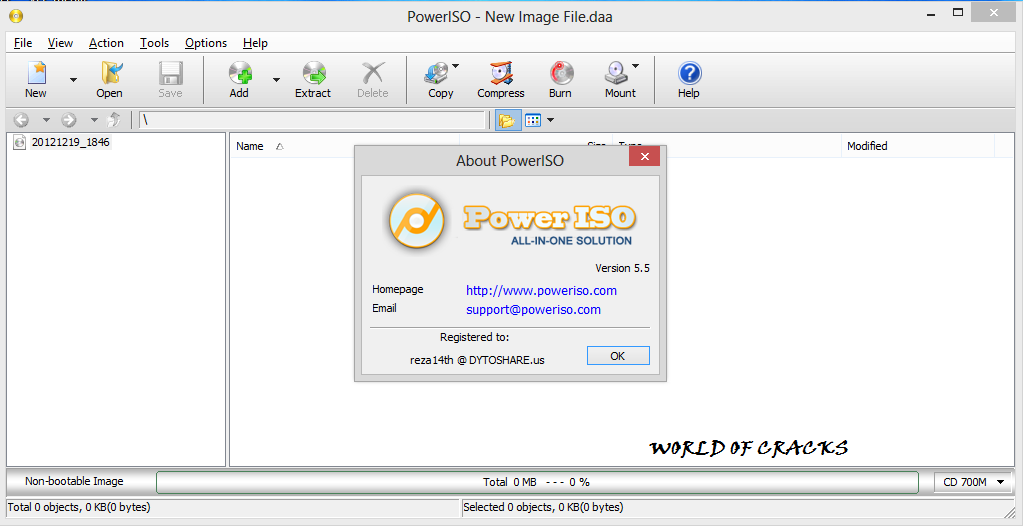
Power ISO 5.5 Full Version Download


PowerISO is no stranger to us
, PowerISO is a software that
 can made use for ISO files, to 
create ISO files, Virtual Drive to install games 
PC so no need to burn to CD / DVD for opening 
ISO file, compress, edit, cut, to burn the files 
ISO. This is a User Friendly software you would really like it and it is most useful software.

Features :
  • Support almost all CD / DVD / BD-ROM image file formats (ISO, BIN, NRG, CDI, DAA and so on).What is DAA file? DAA file (Direct-Access-Archive) is an advanced format for image file, which supports some advanced features, such as compression, password protection, and splitting to multiple volumes.
  • Open and extract ISO file. You can extract ISO file with a single click.
  • Burn ISO file to CD, DVD, or Blu-Ray disc. PowerISO is a professional burning software. With this tool, you can create Audio CD, Data CD, Data DVD, Video DVD or VCD. PowerISO also supports Blu-Ray burning.
  • Burn Audio CD from MP3, FLAC, APE, WMA, or BIN files.
  • Rip Audio CD to MP3, FLAC, APE, WMA, or BIN files.
  • Create ISO file or BIN file from hard disk files or CD / DVD / BD discs.
  • Edit ISO image file directly.
  • Mount ISO file with internal virtual drive. PowerISO can mount all popular disc image files to built-in virtual drive.
  • Convert image files between ISO / BIN and other formats. PowerISO can not only convert BIN to ISO, but also convert almost all image file formats to standard ISO image file.
  • Create bootable USB drive. PowerISO allows you to setup Windows through USB drive.
  • Make bootable ISO file and create bootable CD, DVD disc.


Download Power ISO Here:
Power ISO 5.5 Installation File: Link1 | Link2
Power ISO 5.5 Crack: Link1 | Link2

Have a nice day,
Keep Smiling,
Thank you.
                    

 photo signature_2_zps7835ec15.gif

MyLanViewer 4.14.5 With Crack

MyLanViewer 4.14.5 | 3.73 MB

MyLanViewer Network/IP Scanner is a powerful Netbios and LAN/Network IP address scanner for Windows, whois and traceroute tool, remote shutdown and Wake On LAN (WOL) manager, wireless network scanner and monitor. This application will help you find all IP addresses, MAC addresses and shared folders of computers on your wired or wireless (Wi-Fi) network.
The program scans network and displays your network computers in an easy to read, buddy-list style window that provides the computer name, IP address, MAC address, NIC vendor, OS version, logged users, shared folders and other technical details for each computer. MyLanViewer Network/IP Scanner supports remote shutdown, wake-on-lan, lock workstation, log off, sleep, hibernate, reboot and power off. It is able to monitor IP address and show notifications when the states of some computers change. MyLanViewer Network/IP Scanner can also view and access shared folders, terminate user sessions, disable shared folders, show netstat information and detect rogue DHCP servers. The software can monitor
all devices (even hidden) on your subnet, and show notifications when the new devices will be found (for example, to know who is connected to your WiFi router or wireless network). The program easy to install and use, and has a user-friendly and beautiful interface.

 Installation Instructions:
  • Extract Zip file
  • Install program
  • Copy crack file from crack folder
  • Pest it on software installed directory 
 
Free Download Link
Click here

 photo signature_2_zps7835ec15.gif

Adobe Photoshop Lightroom 4.4 Final Full Version Download

Adobe Photoshop Lightroom 4.4 Final Full Version Download

Adobe Photoshop Lightroom software is the professional photographics essential toolbox, providing one easy application for managing, adjusting, and presenting large volumes of digital photographs so you can spend less time in front of the computer and more time behind the lens. So you can spend less time sorting and refining photographs, and more time actually shooting them. Its clean, elegant interface literally steps out of the way and lets you quickly view and work with the images you shot today, as well as the thousands of images that you will shoot over the course of your career. Because no two photographers work alike, Adobe Lightroom adapts to your workflow, not the other way around. Lightroom lets you view, zoom in, and compare photographs quickly and easily.
Precise, photography-specific adjustments allow you to fine tune your images while maintaining the highest level of image quality from capture through output.And best of all, it runs on most commonly used computers, even notebook computers used on location.

Create incredible images that move your audience. Experiment fearlessly with state-of-the-art nondestructive editing tools. Easily manage all your images. And showcase your work in elegant print layouts, slide shows, and web galleries, as well as on popular photo-sharing sites. All from within one fast, intuitive application.

Organize effortlessly
  • Automatically organize photos using Smart Collections
  • Work with high-quality previews of offline images from multiple libraries and drives
  • Automatically import and process high-volume shoots
  • Use custom keywords to organize photos Enhanced
  • Automatically rename files on import and convert to universal Digital Negative (DNG) format
  • Manage photos and volumes even when theyâ?™re offline
  • Quickly find any photo with powerful sorting and filtering
  • Apply custom presets to images on import/export
  • Access and edit a comprehensive set of metadata fields
  • Browse groups, compare photos, and zoom in on details
  • Create virtual copies of photos to save hard-disk space
Correct, enhance, edit
  • Target specific areas of a photo for dodging and burning
  • Expand your workspace across multiple monitors
  • Enjoy state-of-the-art 64-bit memory handling
  • Tightly integrate with Adobe Photoshop
  • Easily compare before and after versions of photos
  • Precisely convert color to black and white
  • Eliminate dust, specks, and red eye
  • Retrace your editing steps to return to any version of a photo

Showcase your talent
Easily transfer images to popular photo-sharing sites
Access a rich community of export plug-ins and web gallery styles at the Lightroom Exchange
Print more efficiently with flexible and customizable templates
Create web galleries with no coding required
Sharpen photos when you output to print or the web
Stamp your photos with metadata on output
Compose sophisticated slide shows with music

New Features in Lightroom 4:
  • Highlight and shadow recovery brings out all the detail that your camera captures in dark shadows and bright highlights.
  • Photo book creation with easy-to-use elegant templates.
  • Location-based organization lets you find and group images by location, assign locations to images, and display data from GPS-enabled cameras.
  • White balance brush to refine and adjust white balance in specific areas of your images.
  • Additional local editing controls let you adjust noise reduction and remove moiré in targeted areas of your images.
  • Extended video support for organizing, viewing, and making adjustments and edits to video clips.
  • Easy video publishing lets you edit and share video clips on Facebook and Flickr®.
  • Soft proofing to preview how an image will look when printed with color-managed printers.
  • Email directly from Lightroom using the email account of your choice.
Changes in Adobe Photoshop Lightroom 4.4:
  • The crop overlay tool resized incorrectly when used in conjunction with the “Constrain to Crop” checkbox in the Lens Correction panel 
  • Background graphics were not correctly rendered within the Book Module
  • Reading metadata from file would sometimes result in keyword and and GPS metadata to not save for video files
  • Updated the "Missing File Icon" for HiDPI / Retina dispalsy
  • The supplied lens profile for the Sony RX-1 did not contain vignette information
  • Preview in Develop Module was not updated with the latest adjustments
  • Square tile artifacts while painting with brush
  • Previews of photos in portrait orientation were blurry when viewed in the filmstrip in the Develop module. (Mac only)
  • Image in Book Disappears After Changing Modules
  • Error changing modules when in Slideshow with second monitor connected
  • Stack badges displayed the wrong count when creating new stack that included a preexisting stack.
  • Local Adjustment Effect (Brushed Adjustment) Disappears (temporarily) After Selecting a Pin (Win only)
  • Book changes are not saved after switching between modules
  • The Filter scrollbar within the Library module was not rendering properly.
  • Auto-tone was not working properly when used in conjunction with the Exposure adjustment slider. (Win only) 
  • The Black&White button was not creating a History state within the Develop module. (Win only) 
  • When switching from image to image, remnants of previous image visible on fringes of new photo. This occurred on Retina screens only. 
  • RGB color readouts were specified in the Adobe RGB colorspace rather than the ProPhoto linear colorspace. This occurred when working in Soft Proofing within the Develop module. 
  • Horizontal artifacts would occassionally appear in DNG files.
  • Adding a page behaved inconsistently in the Book module depending on the method used to add a page.
  • The state of the “Remove Chromatic Aberrations” checkbox within the Lens Correction was not persistent between sessions of Lightroom.
  • Cannot add contacts from Address Book to email on Mac
  • Sliders can no longer be moved on Win by using mouse wheel. Working with Lightroom 4 and Adobe Photoshop Camera

System requirements Windows
  • Intel® Pentium® 4 or AMD Athlon® 64 processor
  • Microsoft® Windows Vista® with Service Pack 2 or Windows® 7 with Service Pack 1, Windows 8
  • 2GB of RAM
  • 1GB of available hard-disk space
  • 1024x768 display
  • DVD-ROM drive
Languages : English, Deutsch, Español, Français, Italiano, Nederlands, Português (Brasil), Svenska, 日本語, 简体中文, 繁體中文, 한국어

Download Adobe Photoshop Lightroom 4.4 Final Here:
Adobe Photoshop Lightroom 4.4 Final 32-bit : Link1 - Link2
Adobe Photoshop Lightroom 4.4 Final 64-bit : Link1 - Link2

 photo signature_2_zps7835ec15.gif
Blogger Widget